
What is Cockpit?
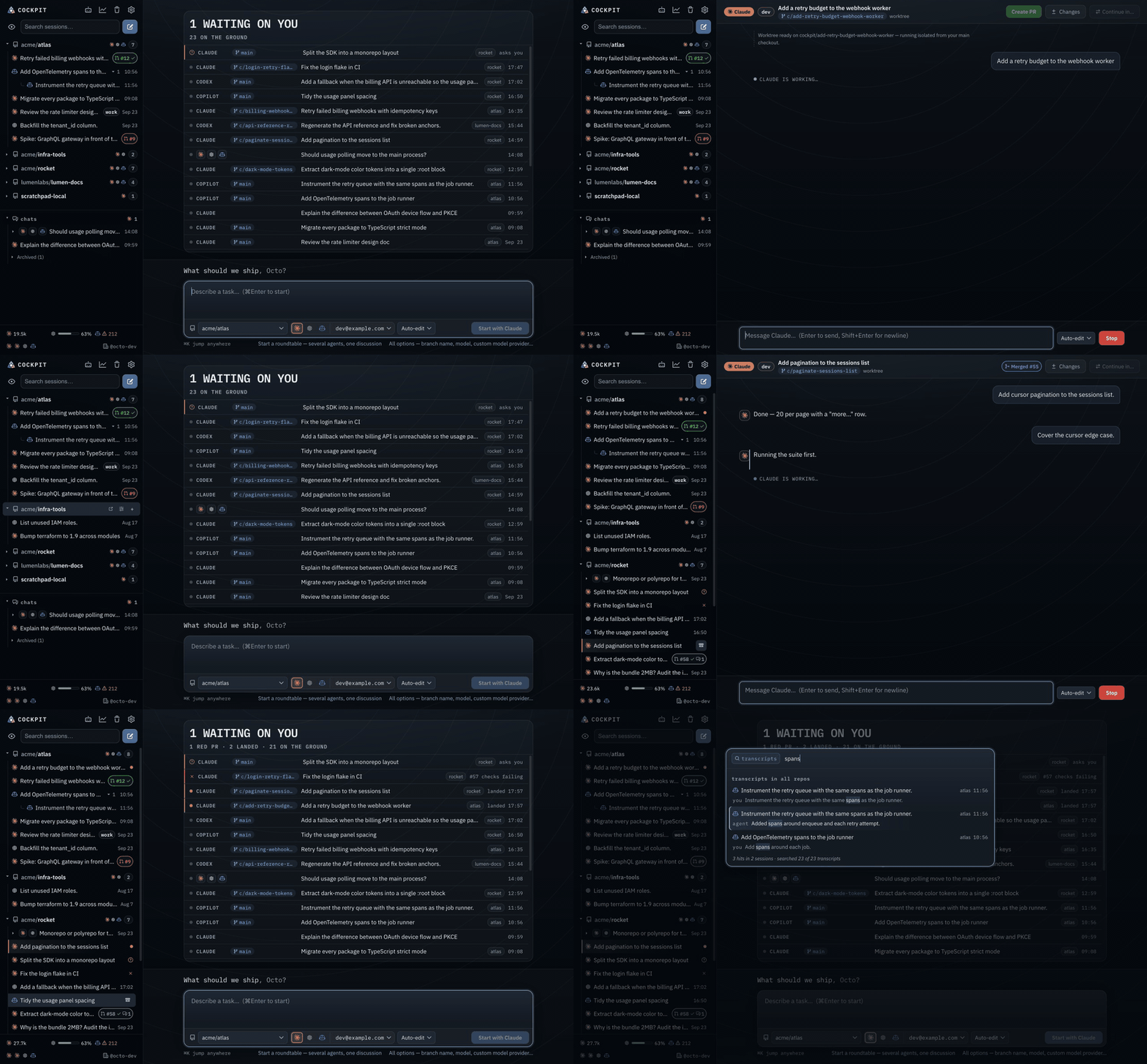
Cockpit is a macOS desktop hub for the three big coding agents — Claude Code, Codex, and GitHub Copilot CLI. If you use more than one of them, your work is scattered across three home directories, three session formats, and three configuration systems. Cockpit puts all of it in one window: browse every session across providers, continue any conversation, start new agent runs in isolated worktrees, and manage the shared AI setup once instead of three times.
The problem it solves
Each agent CLI keeps its own world:
| Sessions | Instructions | MCP config | |
|---|---|---|---|
| Claude Code | ~/.claude/projects/** | ~/.claude/CLAUDE.md | ~/.claude.json |
| Codex | ~/.codex/sessions/** | ~/.codex/AGENTS.md | ~/.codex/config.toml |
| Copilot CLI | ~/.copilot/** | ~/.copilot/copilot-instructions.md | ~/.copilot/mcp-config.json |
Cockpit indexes all three, groups everything by git repository, and gives you one place to read transcripts, resume conversations, launch new work, and keep instructions and MCP servers in sync across agents.
GitHub-first by design
Cockpit organizes around repositories, not providers:
- The sidebar shows one
owner/reporow per repository, with that repo's sessions from every provider underneath, ordered by last activity. Sessions in linked worktrees group under their main repo; theowner/repoidentity comes from the origin remote. - New work follows an always-worktrees, always-PRs model: every task gets its own branch in an isolated git worktree, and finished work ships as a pull request via the GitHub CLI. Your checkout is never touched. See Worktrees & PRs.
- PR state badges (open, draft, merged, closed) appear on sessions, straight from
gh pr list.
Sessions that don't belong to any repository land in a flat Chats section at the bottom of the sidebar.
What's in the window
- Home — mission control. The board of recent agent work reads above, under a masthead that answers the one question the screen is for: while nothing needs you it is a quiet line ("2 flying · 22 on the ground"), and the moment something does the urgent phrase jumps to headline size — "1 waiting on you" — with the rest underneath. The task composer is docked to the bottom edge like a chat's: pick a repo, agent, account, and permission mode, then ⌘Enter to start. The page itself never scrolls — the board's rows do — so the composer is on screen however busy the board is. The sidebar stays the exhaustive list.
- Sessions. Click any session for a parsed transcript — messages, tool calls, results. Type in an indexed session to continue it. See Sessions & the index.
- Chat. Cockpit spawns the provider CLI headless and streams replies and tool activity live. See Chat.
- Agents. Shared instructions with drift detection, MCP/skills/plugins inventory, and one-click sharing across the three agents. See The Agents view.
- Settings. Accounts and config-home sources, subscription usage, history window, GitHub identity. See Accounts & usage.
Resizing and zoom
The window can be dragged down to 560×420, and every view is checked at exactly that size. As it narrows, rows shed decorative chips and labels — one at a time, in the order that costs you least — so nothing truncates and nothing escapes the window.
The sidebar's width is yours. Drag its right edge — the cursor changes over it — anywhere between 200px and what the view beside it can spare: the sidebar never leaves that view narrower than it is at the smallest window, so on a small window the edge simply stops sooner. The edge is in the Tab order too, after the sidebar's footer: ← / → move it a step, Home / End take it to either end. Double-click the edge to go back to the default width. The width is remembered on this Mac; a narrower window holds it back and hands it back when you widen again.
⌘+ and ⌘− zoom the whole interface between 70% and 200%; ⌘0 returns to 100%, as does clicking the percentage beside the wordmark, which appears whenever you are not at 100%. The level is remembered — set it once and every later launch opens there.
Zooming in makes everything bigger, which leaves the same window with less layout to show — so the sidebar gives way as it would if you had narrowed the window: the wordmark drops to its mark, and at the very tightest the four header buttons take their own line rather than shrinking. And Cockpit raises the window's minimum in step. At 150% the window will not go below 840×630, which is the same amount of layout as 560×420 at 100%. If a zoom level needs more room than the display has, the minimum stops at the screen and the views go on shedding rather than breaking.
How it's built
Three Electron processes with a strict boundary: all filesystem, git, and CLI work happens in the main process; the React UI is fully sandboxed and only ever sees paged, validated data over a typed IPC surface. The indexer is deliberately frugal — it walks only per-provider session roots, reads at most 256 KB per file, and persists a stat-cache so restarts re-parse only what changed. Session log formats are provider-internal and drift between releases, so parsers skip what they can't read rather than fail the scan.
Dark, and only dark
Cockpit is dark-mode-only by design — these docs follow suit.